Unbypassable software for your child's Android

Transform any smartphone
into a kid's phone they
can't bypass

We turn your child's phone into a safe companion at the system level. Our 'dumbphone' approach reliably blocks dangers like social media, adult content, and addictive games.

Get LeewynSee how it works

Android 9 and up · 10 minutes once · No new phone to buy

Hero shot — Leewyn home screen on a real phone
For your kid

Kids find every loophole. This one doesn't have any.

It looks like a regular smartphone, so your kid fits right in. But in the background, everything is locked down at the system level — no social media, no adult sites, your child is completely safe.

Can't be uninstalled or disabledSurvives reboots and safe modeNo sideloading, no other browsers, no second profileOnly you can disable the block, from your own phone
For you

Set it once. Then let go.

Leewyn blocks dangers completely at the system level with no way to delete or bypass it, while updating new threats daily. If your child wants an app, we review it first — but you always have the final say and can unlock it yourself.

No blocklist to build or maintainNo approval requests piling up in your inboxNo weekly report you feel guilty for not readingNo more worries — just complete safety for your child

How it works?

To install the software, you just need to reset your Android phone once. Don't worry, we'll guide you through the whole process step by step.

1

Reset the phone

Our software works on any Android phone running Android 9 or newer. To install the software, you just need to reset the phone once. We walk you through the whole reset and installation process step by step.

2

Scan the code

During Android's welcome screen, our software installs itself as the device owner. That single moment is what makes it unbypassable later.

3

Ready for your child

Everything is pre-configured the moment installation finishes. There are no lists to write and no rules to tweak — your child's phone is instantly safe and ready to use.

The web

The blocklist keeps itself up to date.

The internet adds thousands of new sites a day. Any list a parent maintains by hand is out of date by the weekend. So we maintain ours for you, continuously.

1M+

Domains already blocked

All safety lists and categories update automatically behind the scenes.

3

Search engines, SafeSearch forced

Google, Bing, and DuckDuckGo are automatically locked to strict mode. Any other search engine is completely blocked.

0

Sites waiting for your review

Every app your child wants to install goes through our safety check. If we block it but you want them to have it, you can instantly override us.

Every family makes it better for the next one

When a Leewyn phone visits a site nobody has classified yet, we note the domain. It gets reviewed automatically, and if it's harmful, it's blocked for every Leewyn family within hours.

We check brand new domains too, so sites built specifically to slip past filters are usually blocked the very day they appear.

2M+LAUNCHTODAYDomains blocked, and growing every day

Apps work the other way round

The web needs a blocklist. Apps need a guest list — only what's on it gets in, and we keep the list.

Always blocked

No exceptions, no override.

Adult contentGamblingDatingAnonymous chatVPNs and proxiesOther browsersSideloading tools

Your Choice

Block or allow per category. — or leave our defaults.

SocialGamesVideoMessagingMusicShopping

Always allowed

Core tools that stay fully functional.

PhoneMessagesCameraMapsClockCalculatorSchool apps
App requests

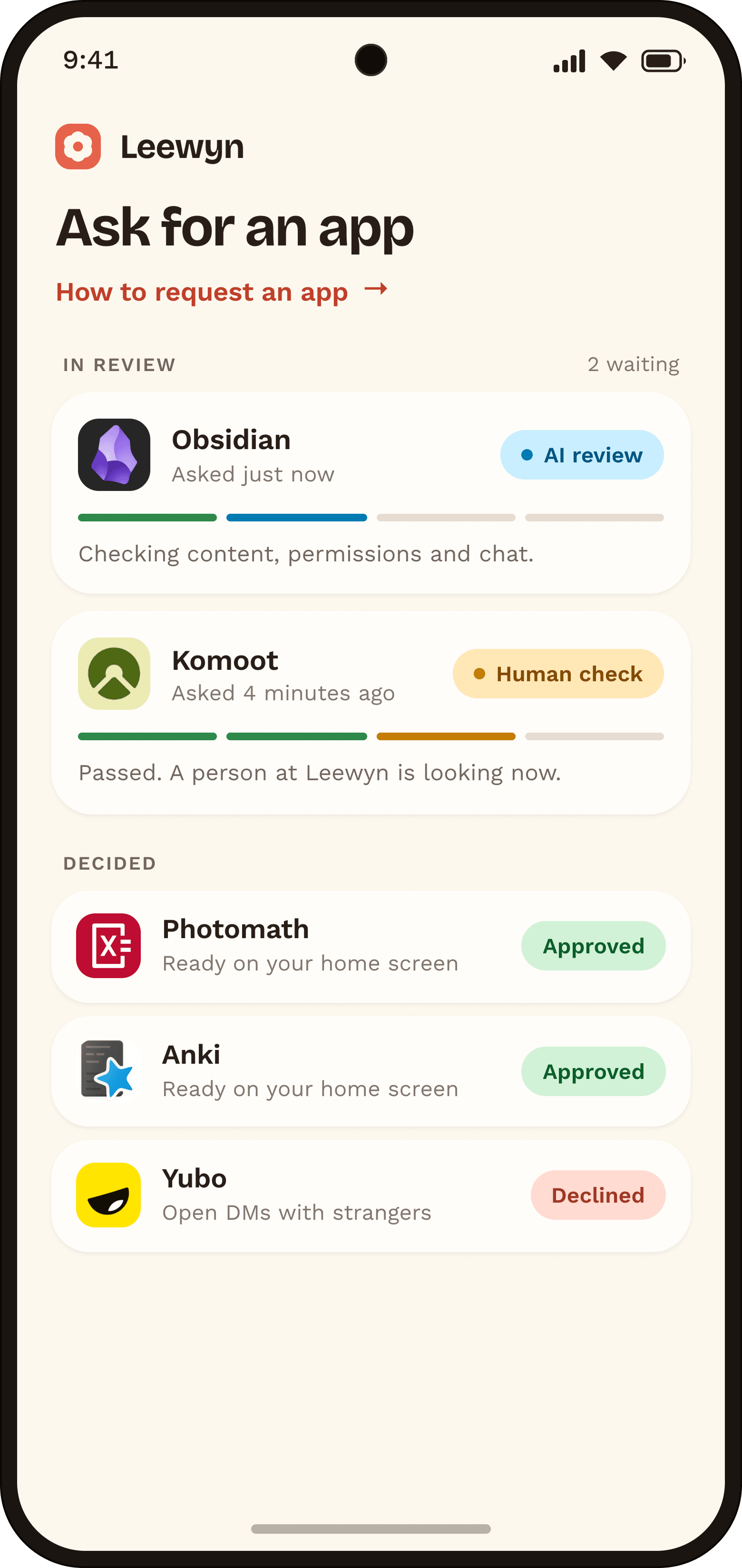
They ask us for the new app, not you

Your teen taps request in the launcher. A strict automated review reads the app's content, permissions and chat surfaces in seconds; if it passes, someone on our team looks at it too. You never become the bottleneck — and you can force-allow anything yourself in the meantime.

01Your teen requests it from the home screen02Automated review, strict by default03A human on our team checks it04Approved for every family, or declined with a reason
Leewyn app request screen on a phone
The launcher

It just a normal phone

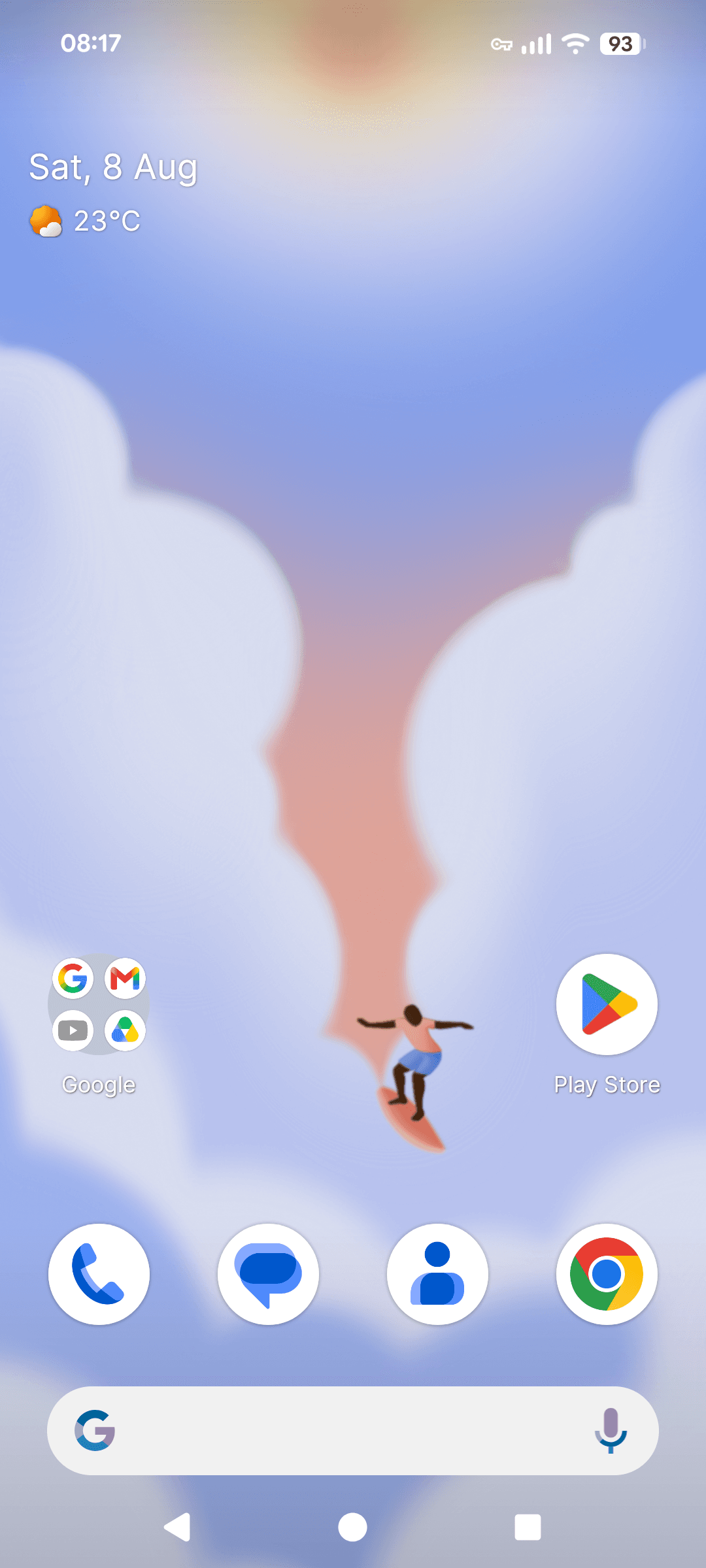
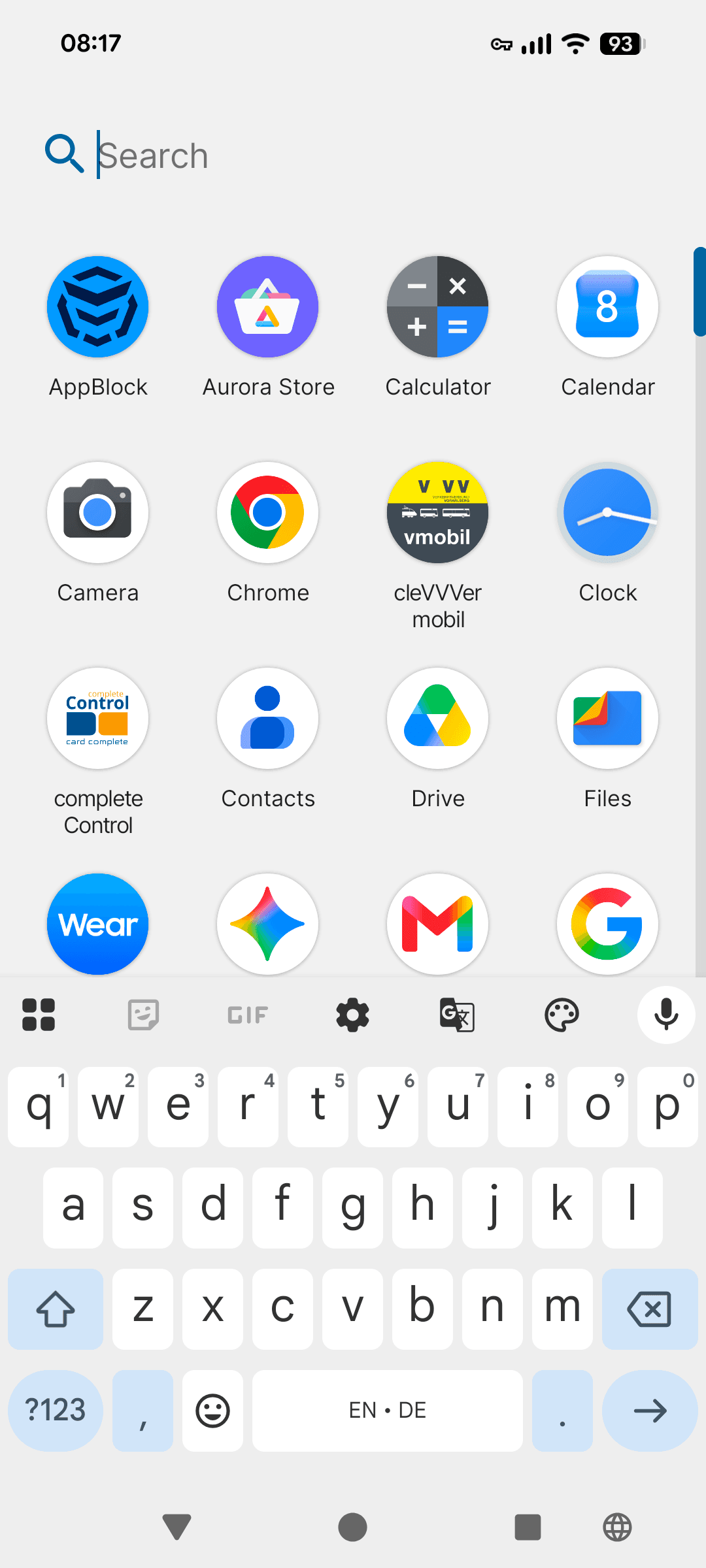
We kept the phone looking completely normal, because your child should feel like they have a real phone. No cartoon buttons, no babyish mode, and no obvious badges.

From the outside, nobody would ever guess it's a child's phone. The protection stays completely invisible until they try to open a blocked website or request an app.

Leewyn home screen on a real phone
Blocked page

Your minimalistic dashboard

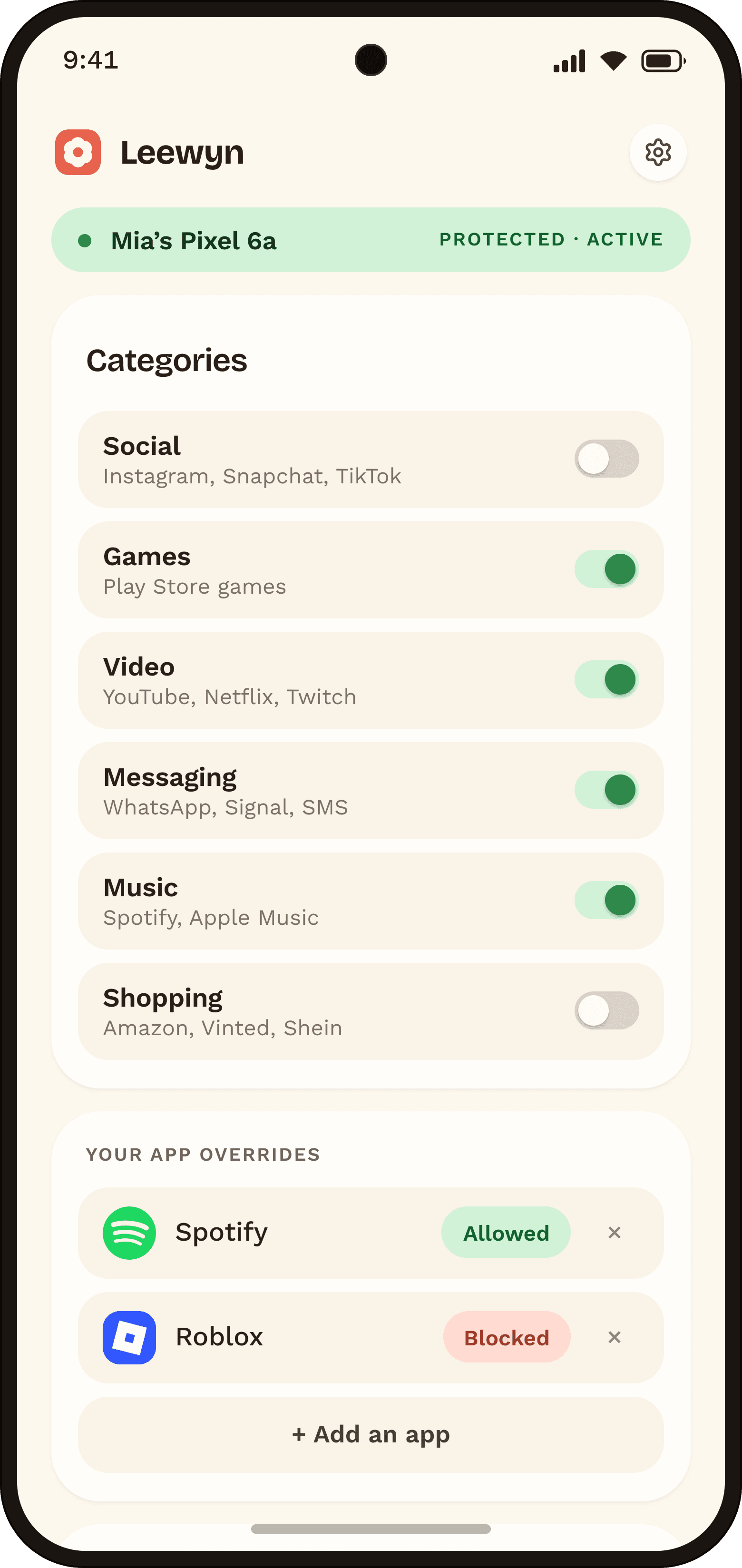
With us, you don't need a control panel because we already block all the dangers away. This is simply here if you want to allow things we restrict, or do the opposite, and customize it however you like.

Toggle a category

Social, games, video, shopping — on or off.

Force-allow an app

Override Our Restrictions

Force-block an app

Restrict Approved Apps

Allow or block websites

Override any of our default allows and blocks

Leewyn parent dashboard on a phone

Keep Them Safe Without Spying

This software isn't about spying on your kids. You don't have to, because all the danger is already blocked. Since they can't do anything harmful on their phone, we don't collect browsing history, messages, calls, location, or screen-time logs.

No browsing historyNo messages or callsNo locationNo screen-time reportsNo screenshotsNo data sold, ever

Why not the usual apps?

Typical parental app
Leewyn
Can your child get around it?
Safe mode, another browser, uninstall
No route out because it owns the device
How much do you set up?
You write the rules and maintain them
You don’t need to because it’s already safe
Daily admin responsibility?
Every new app and site pings you
We review it, so you don’t have to
Does it spy on your kid?
History, messages, location, screen time
Nothing collected
New hardware?
Often a locked-down kids’ phone
You can use an Android you already own

Simple pricing,
everything included

1 child
€6a month, billed yearly

€72 billed once a year
or €8/month, billed monthly

One child's phone protectedEvery feature, no tiersUnlimited app requests and reviewsSecond parent account included
Get Leewyn
Family — 2+ kids, unlimited
€10a month, billed yearly

€120 billed once a year
or €13/month, billed monthly

Every kid in the house, unlimitedEvery feature, no tiersUnlimited app requests and reviewsSecond parent account included
Get Leewyn

Questions parents ask

Which phones does it work on?

Any Android on version 9 or newer. Setup needs a factory reset, so back up what they want to keep first. Leewyn can't run on iPhones — iOS doesn't hand this level of control to anyone but Apple.

Can my teen really not remove it?

No. As device owner, Leewyn can't be uninstalled, disabled or booted around. Taking it off means a full factory reset started from your parent account.

What if it blocks something they need for school?

Open your dashboard and allow the domain — it applies within seconds. If other families need it too, tell us and we'll unblock it for everyone.

How long does an app request take?

The automated pass is instant, human review is usually within a day. You can always force-allow something yourself and skip the queue.

Do I have to keep tuning it?

No. The defaults are the product. Most parents open the dashboard once at setup and then only when their kid asks for something specific.

What happens when they turn 18?

Release the device from your dashboard. Leewyn removes itself and hands back an ordinary Android with their apps and data intact.

Support

Questions or issues? Send us a message and we'll get back to you.

Questions? Talk to us directly.hello@leewyn.app

We read every message ourselves, usually within a day.